
Pier: a desktop GUI for pi
A macOS app for the pi coding agent. Every session is a real pi process, so everything you've set up in the terminal still works.
published
length2 min read
pi is a coding agent that runs in the terminal, and I use it for most of my day. The problem is when I have four sessions going in four different projects. A terminal only shows one at a time, and the one I'm looking at is almost never the one that just finished or is waiting for me to say yes.
Pier is a macOS app I built for that. The sidebar lists every project pi has ever been run in, with its sessions underneath. If a session gets new output while I'm looking at something else, it gets an unread marker. If it's waiting on me, it gets a different marker, and the Dock icon shows a badge. That's the feature I really wanted, and the rest of the app grew from there.
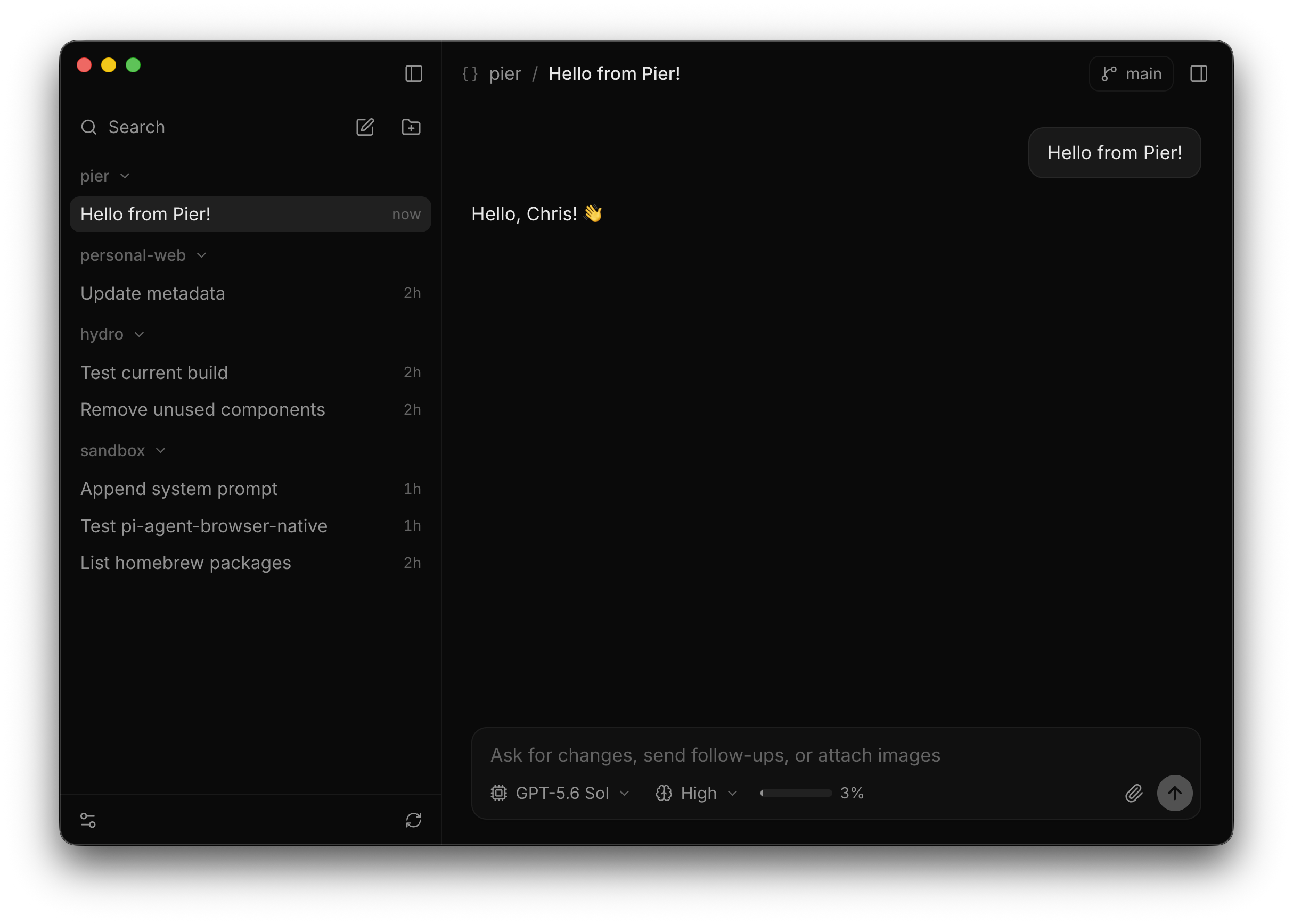
It's still just pi
Pier doesn't reimplement any part of pi. Every open session is a real pi process running in RPC mode, and Pier just displays what it sends back. Your models, settings, extensions, and slash commands all work, because it's literally the same program. You can quit Pier, run pi -c in the terminal, and pick up right where you left off.
The only thing Pier stores is its own preferences, in ~/.pi/gui/settings.json. Everything else stays in pi's config.
What you see
The transcript streams in as pi writes it: markdown, thinking (collapsed by default), tool calls with their output showing up live, and edit diffs inline. The input box supports pi's slash commands, @ file mentions, pasted images, and up-arrow history.
You can keep typing while a turn is running. Follow-up prompts go into a queue, and you can promote any of them to a steering message that interrupts the current turn. The header shows the model, thinking level, a context meter, the git branch, and any status text your extensions publish.
Next to the transcript there's a read-only diff of the working tree against HEAD that updates as files change, plus a login shell in the project directory. Extension dialogs show up as sheets, and notifications show up as toasts.
Installing it
The app is ad-hoc signed and not notarized, so the first time you open it you'll need to go to System Settings, then Privacy & Security, and click Open Anyway. Updates skip that step, since macOS already trusts the installed app. You'll need a Mac with Apple silicon and pi 0.85 or newer on your PATH.